What you need to know
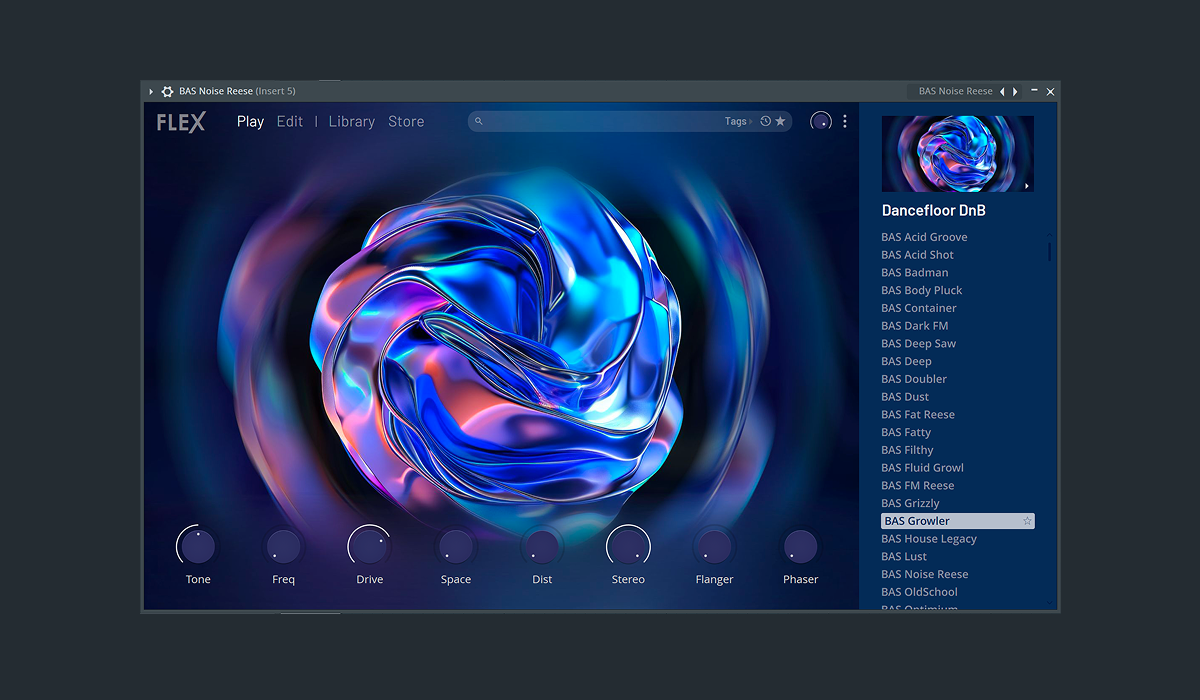
Image-Line rebuilt FLEX for FL Studio 2026 with a new engine, browser, controls, and factory library. Every FL Studio user receives more than 200 Core Series presets across eight packs, according to the current product page.
Search by role, then shape
Preset browsing becomes more useful when the arrangement defines the request. Search for "short dark bass" or "soft wide pad" rather than scrolling through an entire genre. Set a five-minute limit, save two candidates, and continue writing.
Once a sound works, adjust envelope, brightness, movement, and effects in context. A striking solo preset may take too much space under the vocal. Keep one simple patch as a control so additional complexity has to earn its place.
Image-Line says the new engine is quicker to load and lighter on CPU with newer packs. Measure that on your own session. Voice count, effects, other instruments, buffer size, and computer all affect real performance.
Know the compatibility and ownership details
Image-Line says legacy FLEX packs continue to work because the original engine remains inside the plug-in. Core Series and later packs require FL Studio 2026 or newer. Purchased packs are linked to the user's account; subscription details differ, so check the current terms before depending on a library for future edits.
When collaborating, render important FLEX parts and include MIDI where useful. A collaborator may not own the same pack even if both use FL Studio.
How this note was made
- Image-Line: FLEX Official or first-party reference used for the factual claims in this article.
- Image-Line: FL Cloud FLEX Packs Official or first-party reference used for the factual claims in this article.