What you need to know
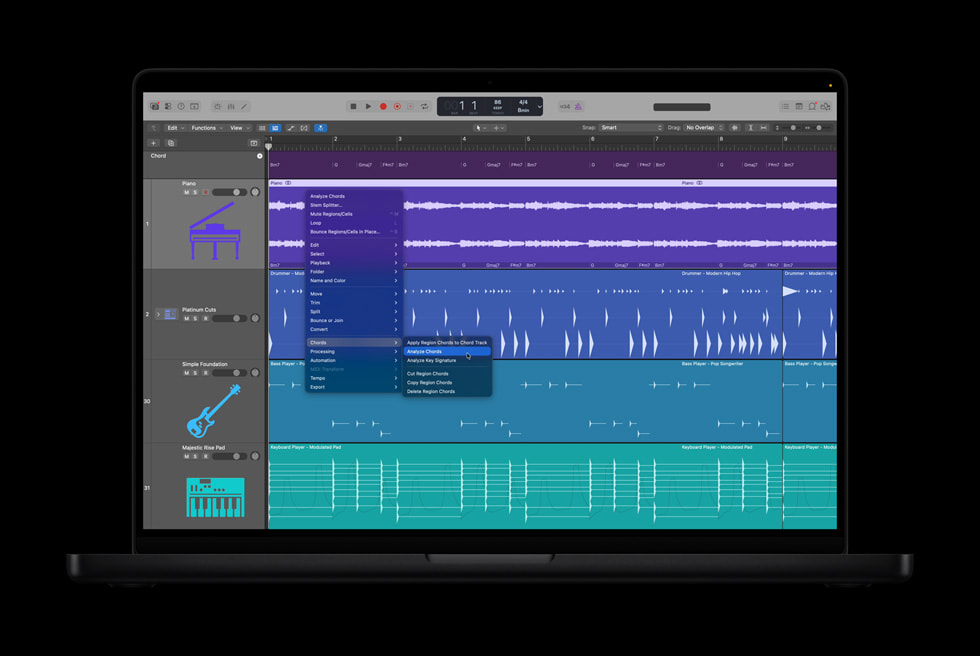
Logic Pro 12 introduced Chord ID for analyzing audio and MIDI regions and adding the result to the Chord track. Logic Pro 12.3 improves analysis for individual instruments and full mixes, and can analyze only the portion under an active cycle area.
Analyze the cleanest evidence available
If you have MIDI or an isolated keyboard or guitar stem, start there. A full mix includes bass movement, melody notes, extensions, and non-harmonic sounds that can make any automatic label ambiguous. Select a short section with the cycle area and analyze one phrase at a time.
After Chord ID fills the Chord track, play the root, third, seventh, and bass movement yourself. Check slash chords and inversions carefully. The same group of notes can have different musical functions depending on context.
Turn analysis into arrangement
The Chord track can guide compatible Session Players and regions. Use that relationship to audition a bass or keyboard part, then edit the performance. Avoid letting every generated player follow every chord with equal density. A verse may need held tones while a pre-chorus benefits from more movement.
Chord ID is also useful for collaboration. A readable chord map can help a vocalist, session musician, or arranger understand the form quickly. Label sections and resolve uncertain chords before sharing; an automatic transcription is still your responsibility once it becomes part of the session.
How this note was made
- Apple: What is new in Logic Pro Official or first-party reference used for the factual claims in this article.